Save hours of tedious work
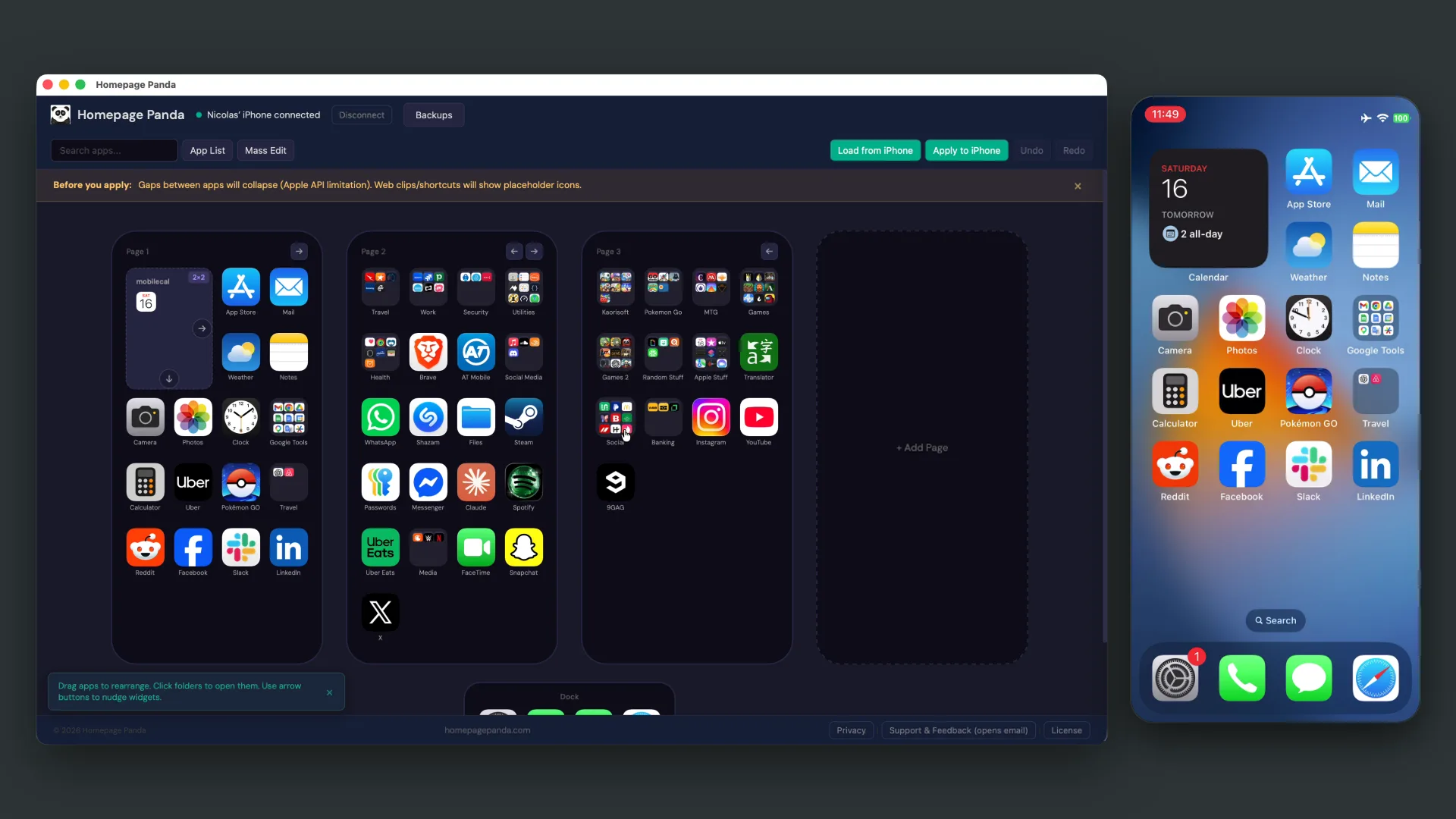
Moving apps one by one on a phone takes forever. With a mouse and a full-size screen, you can organize your entire iPhone home screen from your computer in minutes instead of hours.
macOS app · no jailbreak · $9.99 once
Wiggle mode is fine for moving one icon. For the other 146, there’s Homepage Panda — a real editor on your Mac. Drag and drop apps, widgets, and folders with your mouse, then apply everything to your phone in one click.
Free to try · one-time purchase to apply changes · macOS 11+ · just a USB cable
Homepage Panda runs on your Mac. Send yourself the link and open it there.
Why bother?
Moving apps one by one on a phone takes forever. With a mouse and a full-size screen, you can organize your entire iPhone home screen from your computer in minutes instead of hours.
Drag and drop, search, undo and redo. See every page at once instead of long-pressing and praying an icon lands where you meant it to.
Search across all pages, sort alphabetically, mass-clean pages, back up and restore layouts. Functionality that simply doesn’t exist on iOS.
How it works
Step 1
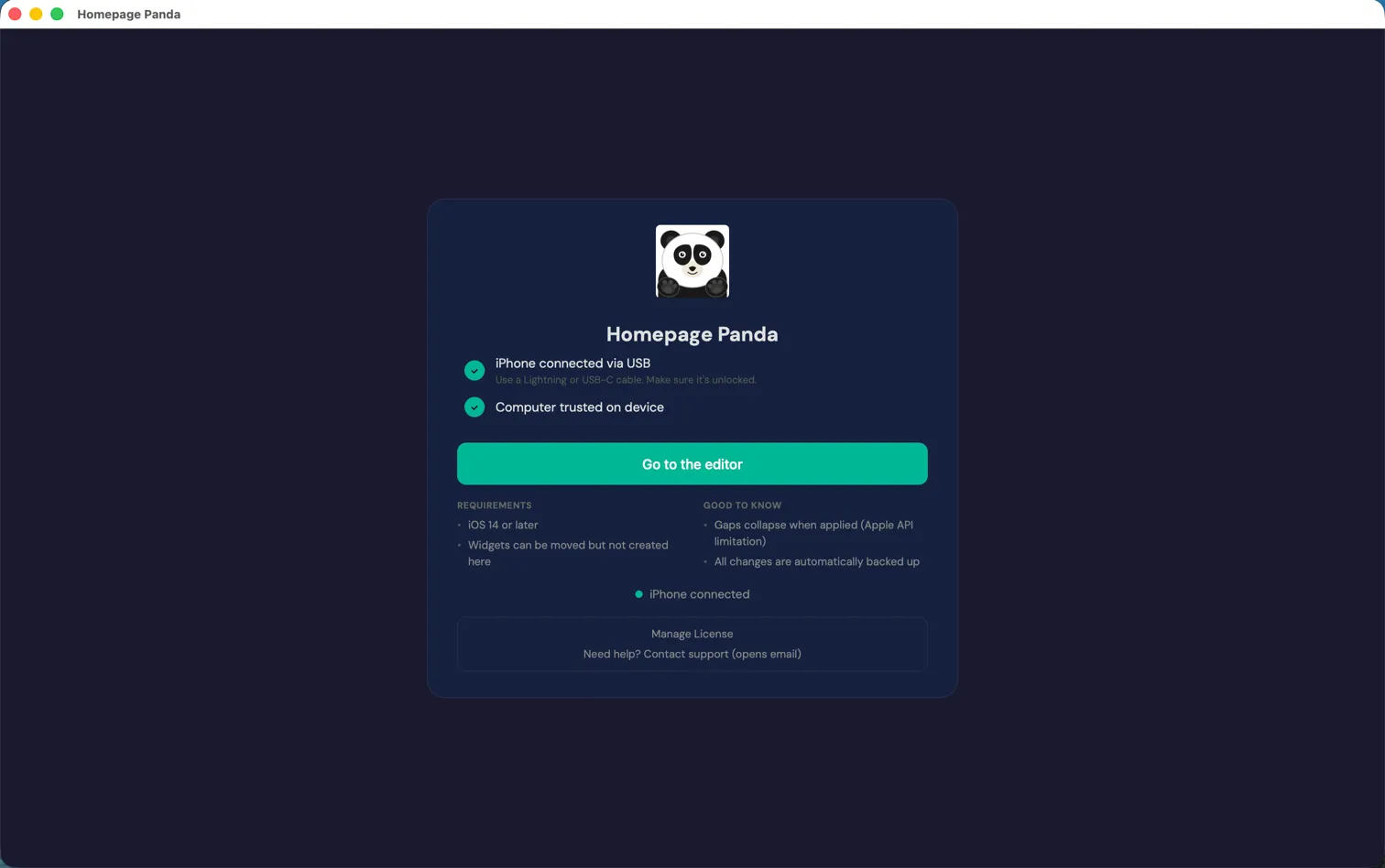
Plug in via USB cable and trust the computer on your phone. Homepage Panda detects your device automatically.
Step 2
Enter the editor and click “Load from iPhone.” Your home screen pages, apps, widgets, and folders appear exactly as they are on your phone.
Step 3
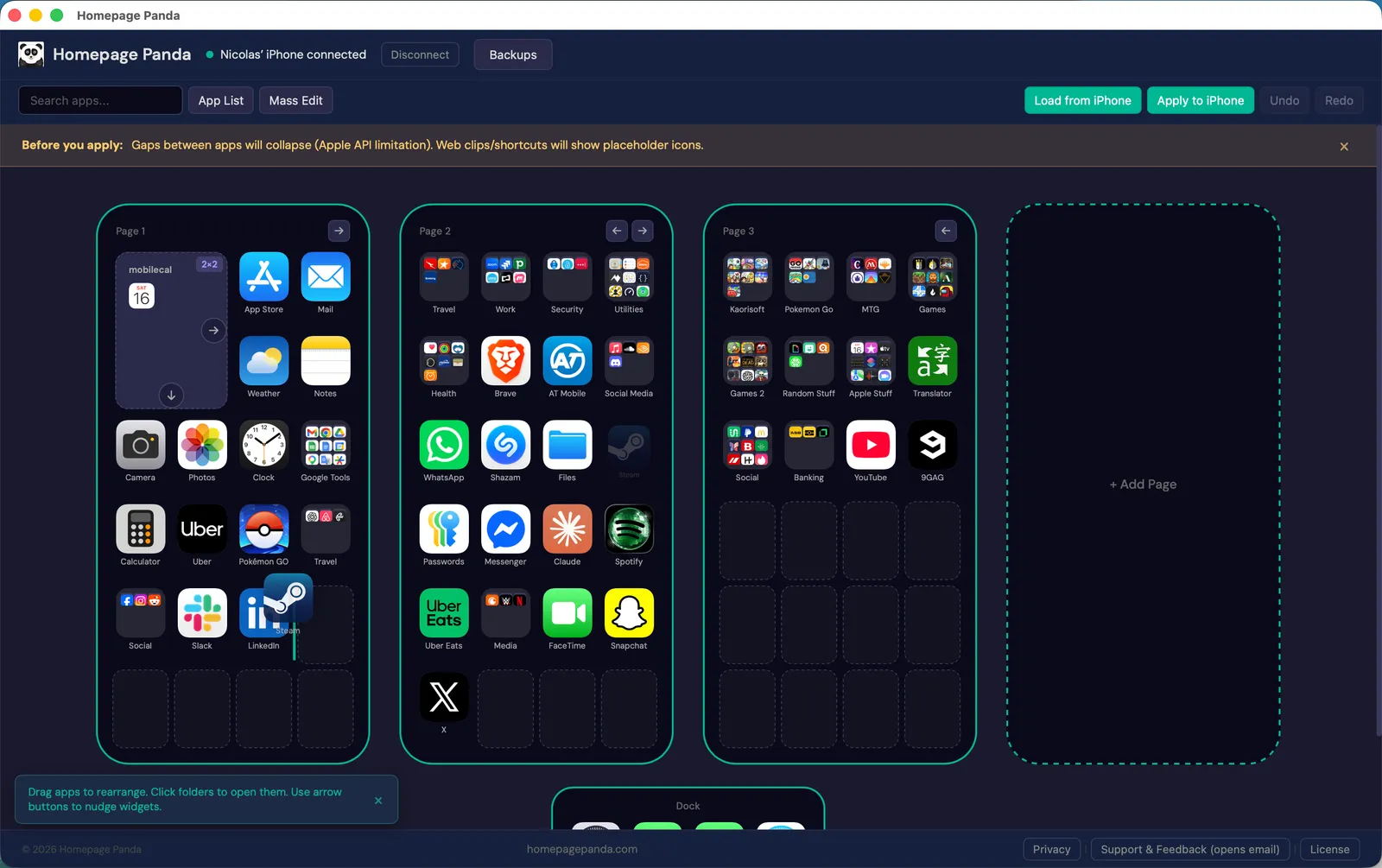
Drag and drop apps between pages, reorganize folders, nudge widgets. Search for any app, sort alphabetically, or use mass edit tools to clean up fast.
Step 4
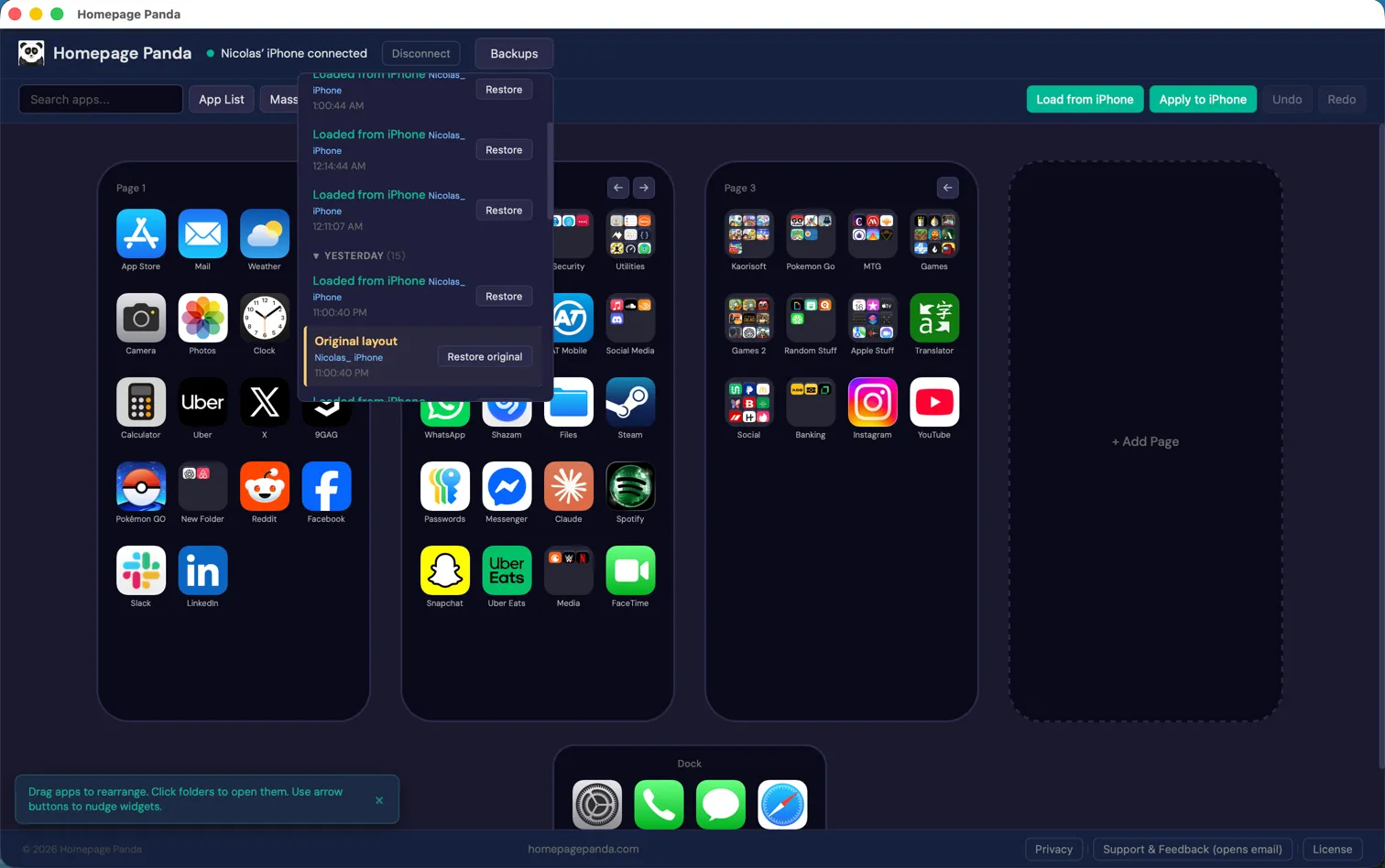
When you’re happy with your layout, click “Apply to iPhone.” Your new arrangement appears on your phone in seconds. Every change is backed up automatically.
Features
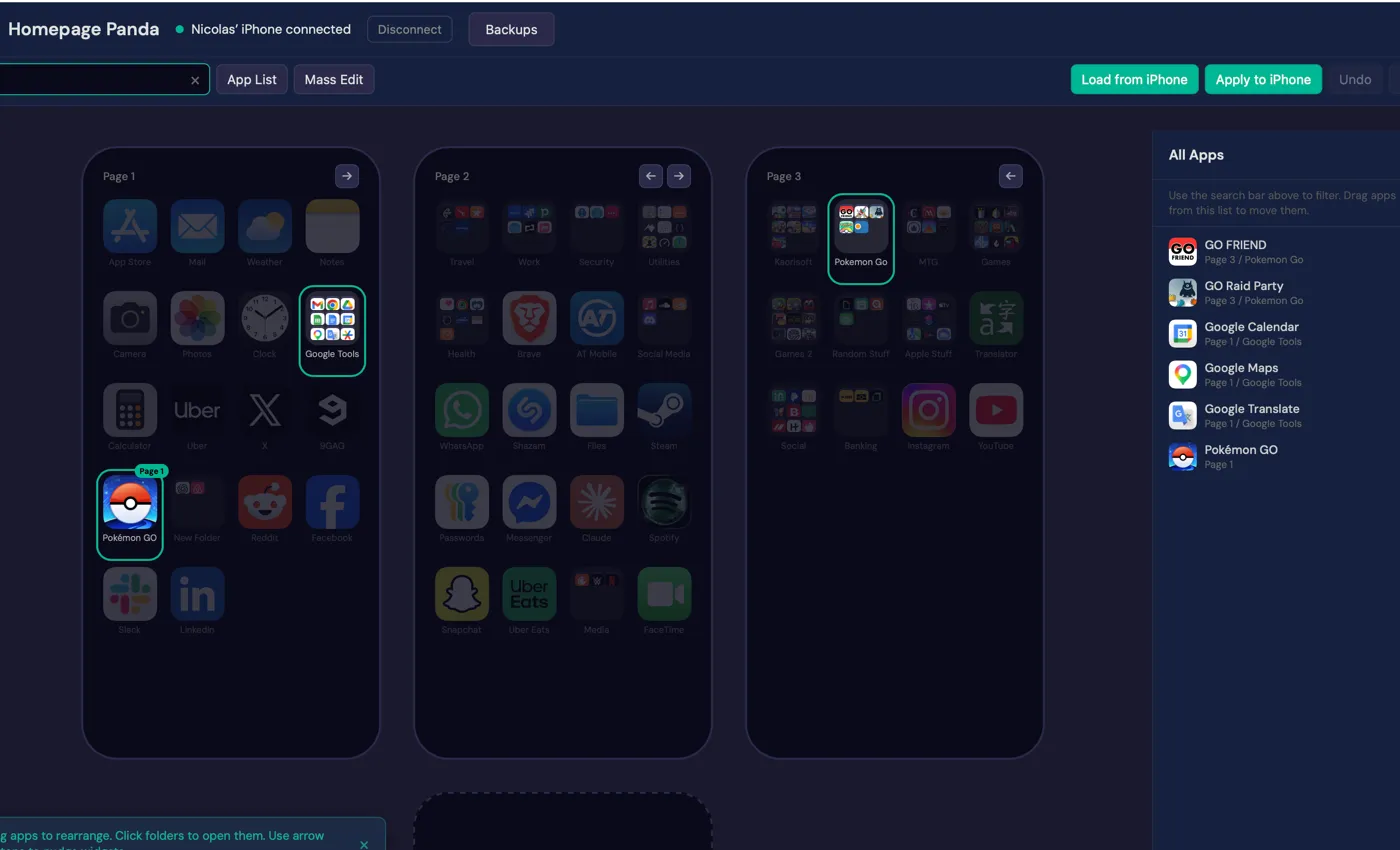
Search
Type to search and matching apps highlight across all pages. The All Apps sidebar shows exactly where every app lives — which page, which folder. Drag apps directly from the list.
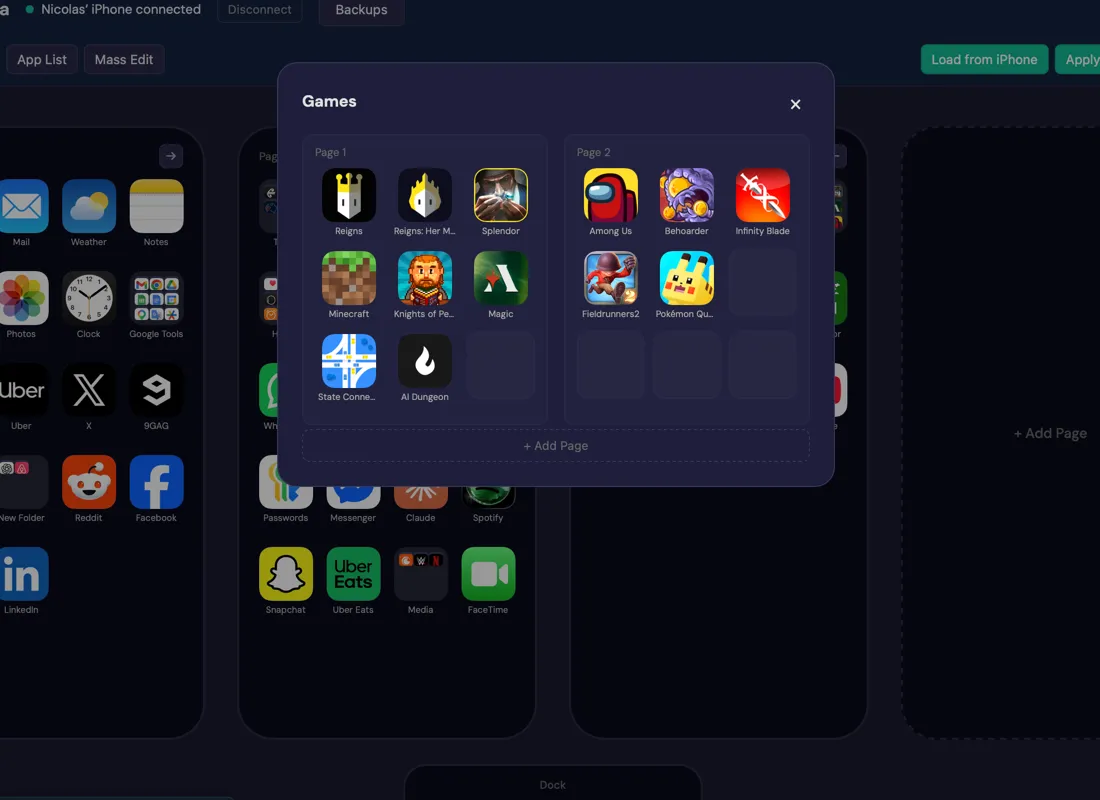
Folders
Click any folder to see its contents. Drag apps in and out, rearrange folder pages, or drag one app onto another to create a new folder — just like on your phone, but with a mouse.
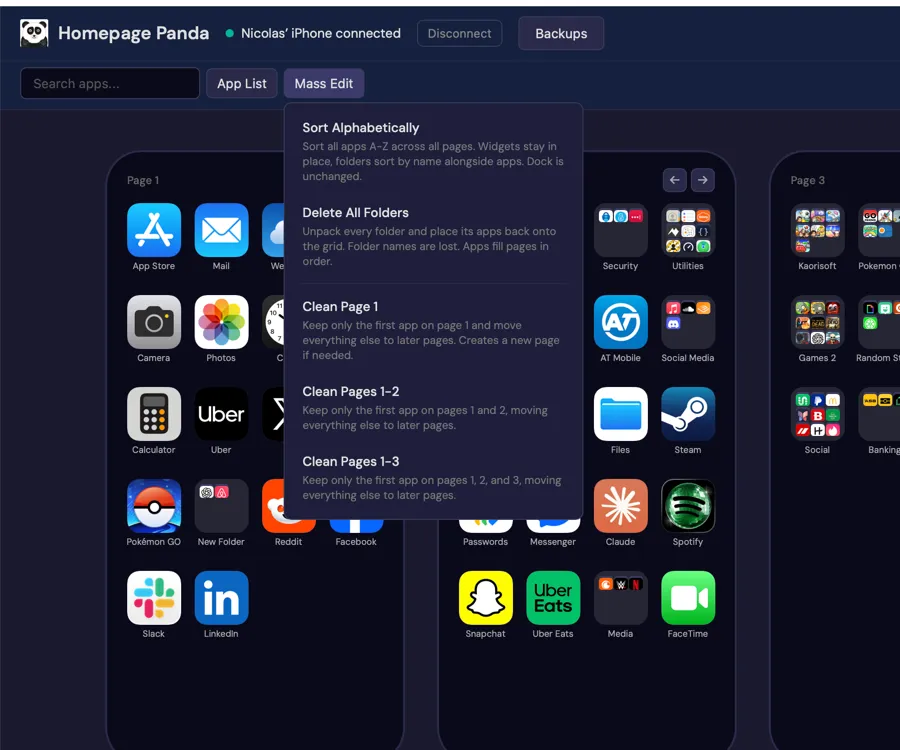
Mass edit
Sort all apps alphabetically, delete all folders at once, or clean specific pages to consolidate your layout. Batch operations that would take ages on your phone happen in one click.
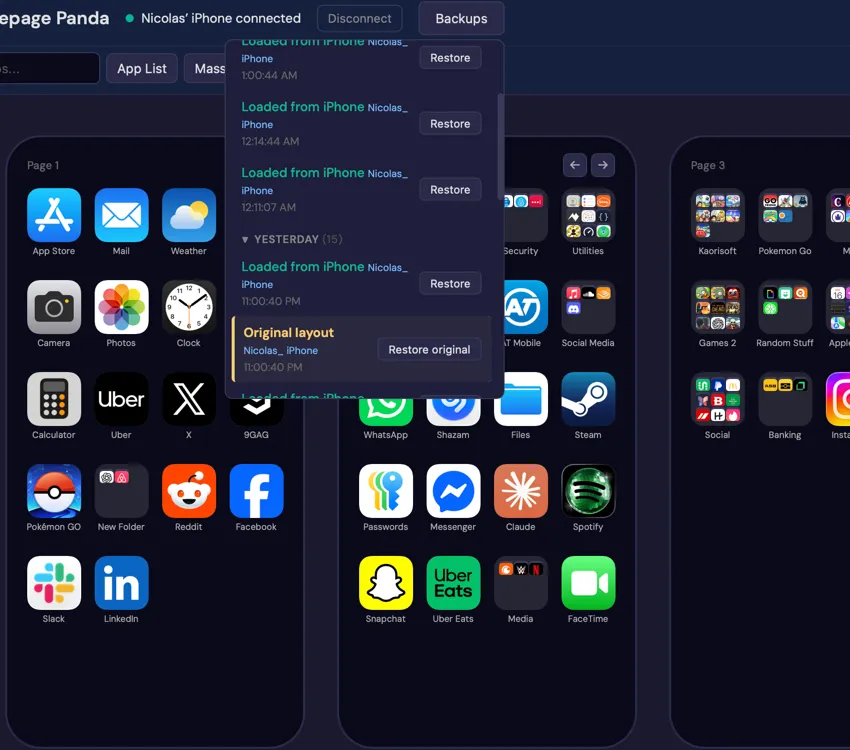
Backups
Every layout is saved automatically before any change. Color-coded history tracks every load, apply, and restore. Roll back to any previous arrangement with one click.
What’s new
Version 0.8.0 24 September 2026
Questions
Yes. It uses Apple’s standard USB communication protocol — the same kind Finder and iTunes use. No jailbreak, no modifications to your phone. The app itself is signed and notarized by Apple, which means Apple checked it for malicious software, so macOS opens it without security warnings.
Folders can be created by dragging one app onto another, just like on your phone. Widgets can be moved and rearranged, but creating new widgets must be done on your iPhone first.
iOS 18 and later let you add gaps between apps and drag widgets to any spot, but Apple’s API only exposes the order of items, not their positions. Applying a layout will collapse gaps and move custom-placed widgets back to their in-order position. Apps that live only in your App Library will also be added back to your Home Screen by iOS when you apply, and pages you hid become visible again — Homepage Panda lists the apps before you apply so you can redo both on the phone afterward.
Any Mac running macOS 11 Big Sur or newer — both Intel and Apple Silicon (M1, M2, M3, M4) are supported.
iPhone Mirroring on macOS 15 and later lets you drag icons in a mirrored iPhone window, but it is still wiggle mode: one page visible at a time, one icon at a time, no search, no sorting, no batch tools, no backups. It is also not available in the EU. Homepage Panda shows every page side by side, moves apps in bulk, and works on any Mac running macOS 11 or newer with a USB cable. Compare all three ways to rearrange your iPhone home screen from a Mac.
Download the .dmg file, open it, and drag Homepage Panda to your Applications folder. Double-click to launch.
No. One-time payment — $9.99 for Personal (up to 2 Macs), $14.99 for Family (up to 5 Macs). You own it forever.
Both plans include the full app with all features. Personal lets you use Homepage Panda on up to 2 Macs. Family lets you use it on up to 5 Macs — great for households with multiple computers. Both are one-time purchases with free updates.
After purchase, your license key is sent to the email you used at checkout. Open Homepage Panda, paste the key, and click Activate.
Check your email from LemonSqueezy (the payment processor). Your key is in the order confirmation. You can also contact us for help.
Pricing
No subscription. Free updates forever. 30-day refund if it doesn’t work as described.
Personal
$9.99
One-time purchase
Family
$14.99
One-time purchase
macOS 11+ · free to try · $9.99 once to apply changes